I needed to record an ad for AppSumo. Somehow that turned into building an iPhone app and submitting it to the App Store over the next two days. The recording itself took about 15 minutes.
The ad was for Zero Rank AI, which we're using to track AppSumo mentions and citations in AI. I do a lot of these videos for tools I actually use. I can talk about the product, but put a script in front of me and ask me to memorize it and suddenly we're doing the same line 100 times.
I am not a video creator. I also don't want a short video to eat up hours because I keep forgetting what comes next.
Noah and other video creators had recommended Teleprompter Pro. The price I was looking at was about $60, and the part I needed seemed pretty simple. Put my words on my phone. Scroll them at the right speed. Flip the text so I can read it through the glass on my teleprompter.
I had some Emergent credits left and wanted to learn how to submit an app to Apple anyway. So I decided to build it. A day later I had a working iPhone app. It's called Free Teleprompter App, and version 1.0.3 is now waiting for review.
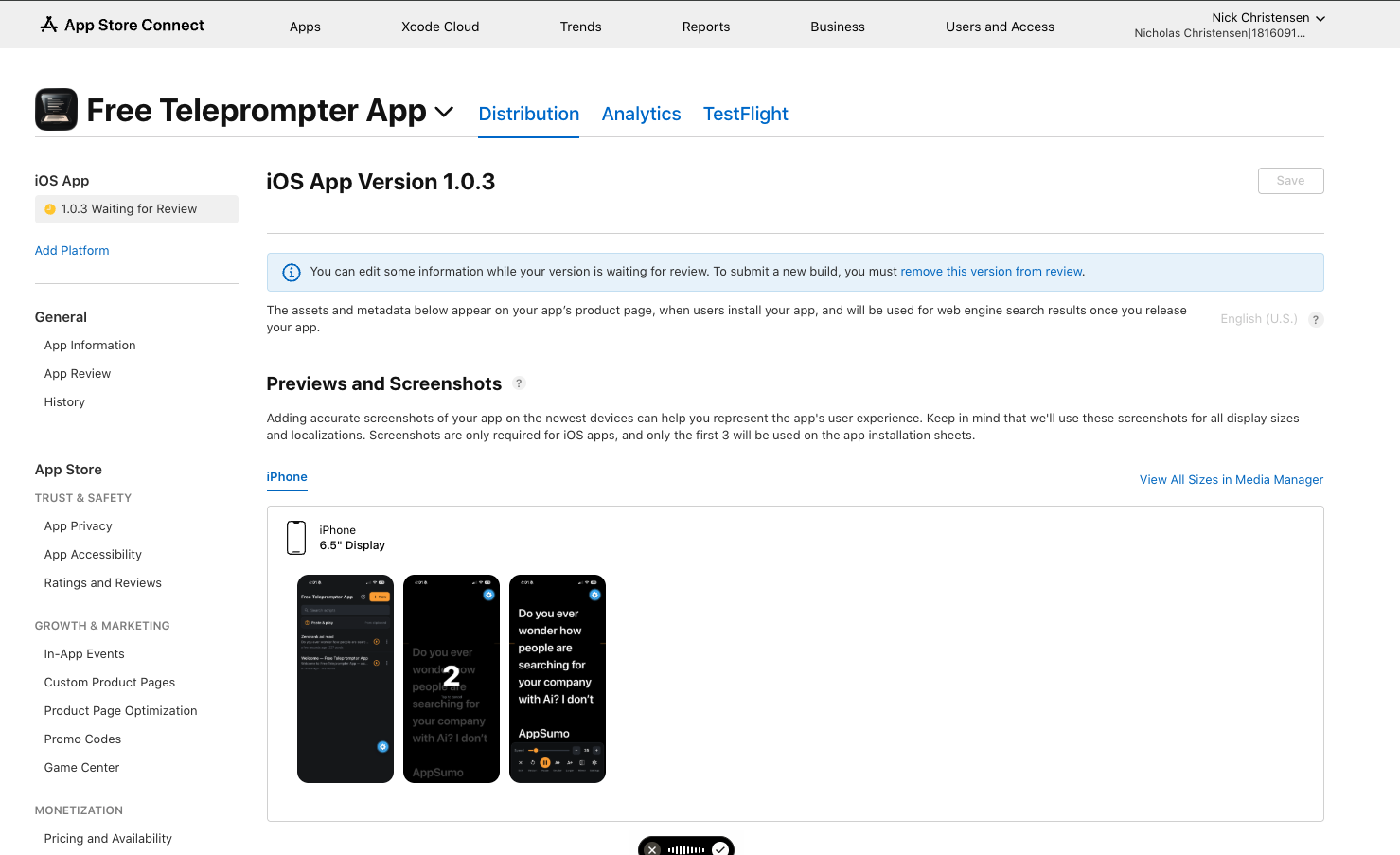
Submitted. Still waiting for Apple to review it as I write this.
The phone just needed to show me the words
I already had a little NEEWER teleprompter hood, roughly $50 from Amazon. The phone sits underneath angled reflective glass, with the camera behind it. You read the reflection while looking toward the lens. The camera records the video separately.
That physical setup made the software requirements pretty obvious. I needed to paste a script, make the words big enough to read, adjust the scrolling speed, and mirror the text so it looked right in the glass. Saving the scripts would let me come back and record again without starting over.
The mirroring was a real requirement. A perfectly readable script on the phone can be backward once you're looking at its reflection. Explaining the hardware to the AI mattered as much as explaining the screen I wanted.
I started in Codex and described the whole situation, including the phone holder and the separate camera. Then I asked it to write a thorough prompt I could take into Emergent.
The prompt organized the app around a script library, an editor, and a reader. It also spelled out the small things that would be annoying during a recording: pausing when I tap the screen, picking up where I stopped, keeping the display awake, and remembering the settings for a script.
That's where I like having AI help think through a build. I know the part that's annoying me. It can help turn that into instructions detailed enough to build from.
Emergent did the app build
I took that brief into Emergent and built the app there. Codex is my main coding client, but I already had credits in Emergent and wanted to use them for this.
The original plan allowed for a web version I could use right away, with an iPhone app as the next step. I didn't want a recording to depend on how quickly Apple reviewed a submission. By later that day, I was back in the Codex conversation saying I'd built it in Emergent and was working on the App Store listing.
The app had the basic flow I wanted: saved scripts, a reader with large text, a countdown before scrolling, and controls for the pace and reflection. Here are the library, countdown, and reading screen on my phone. The script is for the actual AppSumo video.
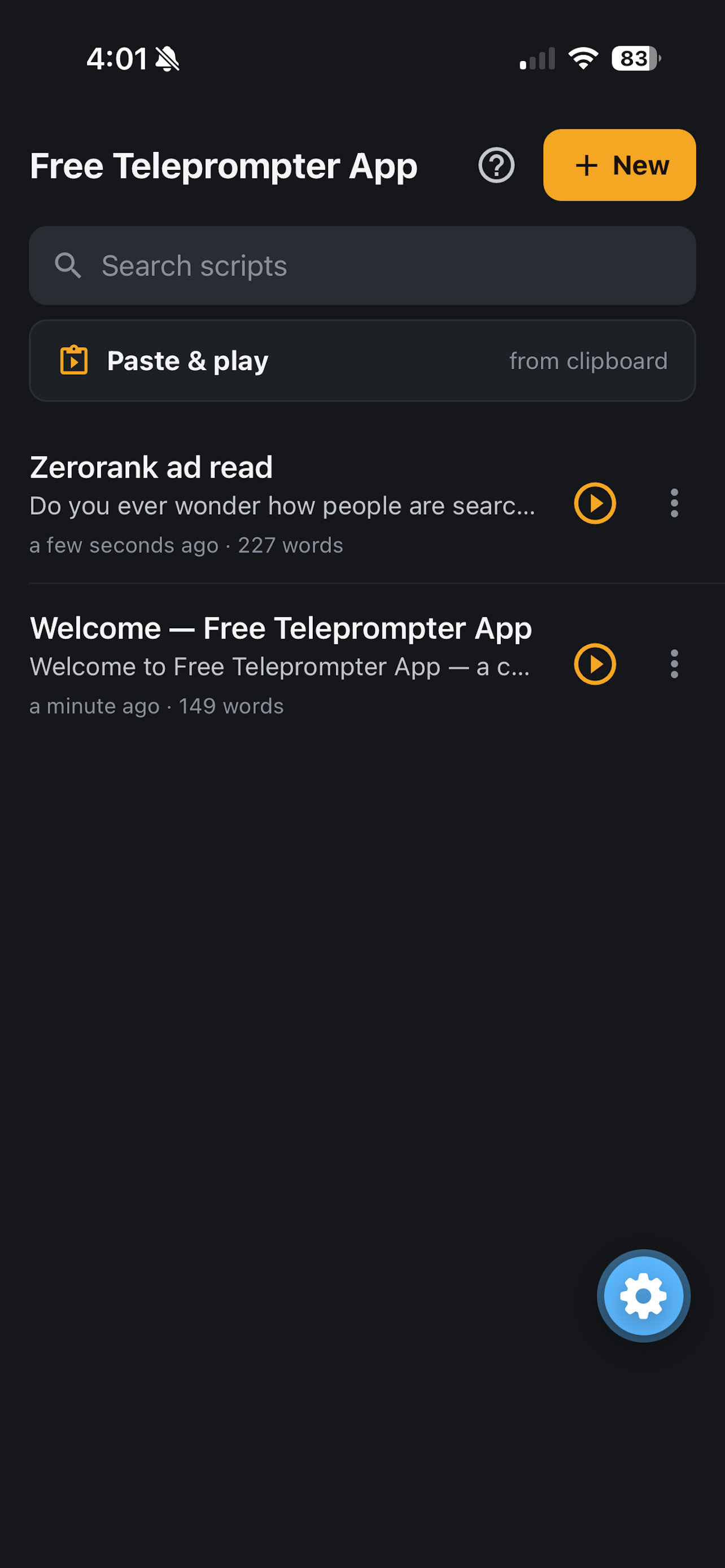
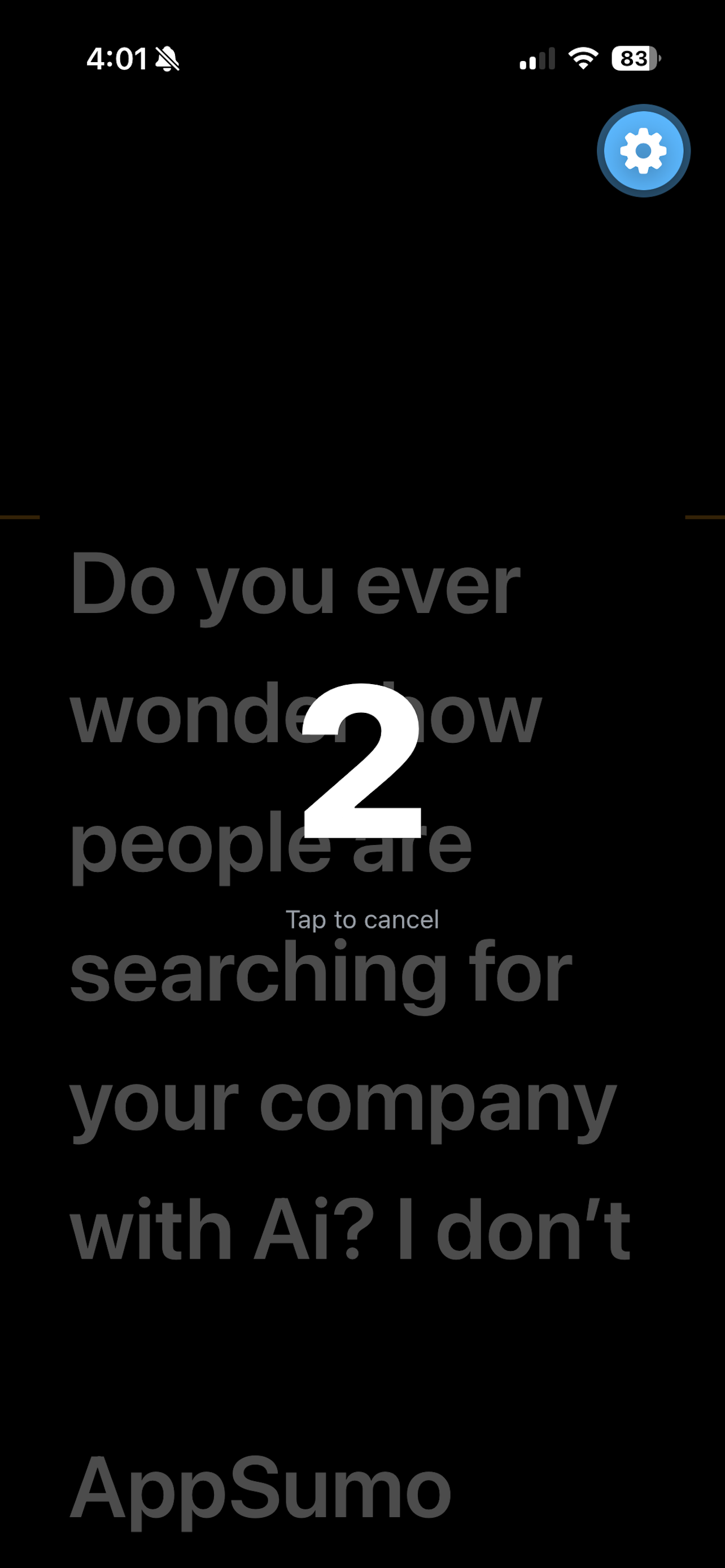
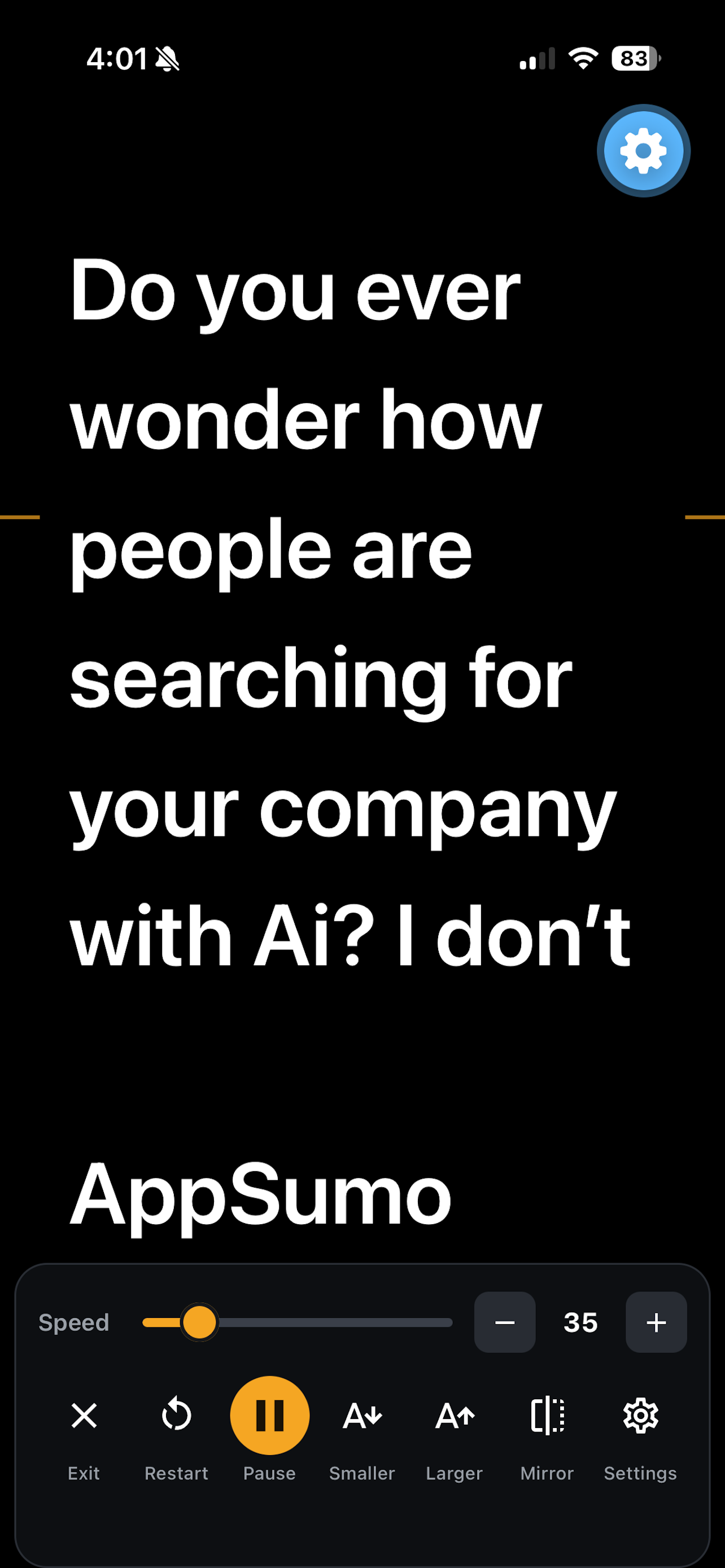
Using it for that recording gave me a much better answer than looking at a nice preview. I could read the script through the glass and get through the video without trying to memorize every line. This last recording took about 15 minutes.
That was the reason I started. I wanted to get the video done and get back to work. Having my own app to use again was a pretty cool extra.
Then Apple wanted a website
Once the app existed, I ran into a field asking for a support URL. So back to Codex with a screenshot of App Store Connect and the app description Emergent had helped prepare.
I bought freeteleprompterapp.io on Hostinger and asked Codex to build a small website with the pages needed for the submission. It created the homepage, setup instructions, contact information, and a privacy page based on the app details I'd supplied. Then it published them through Hostinger's API.
We ended up with a homepage, a support page, and a privacy policy. I could paste the relevant URLs into Apple instead of leaving the submission stuck there.
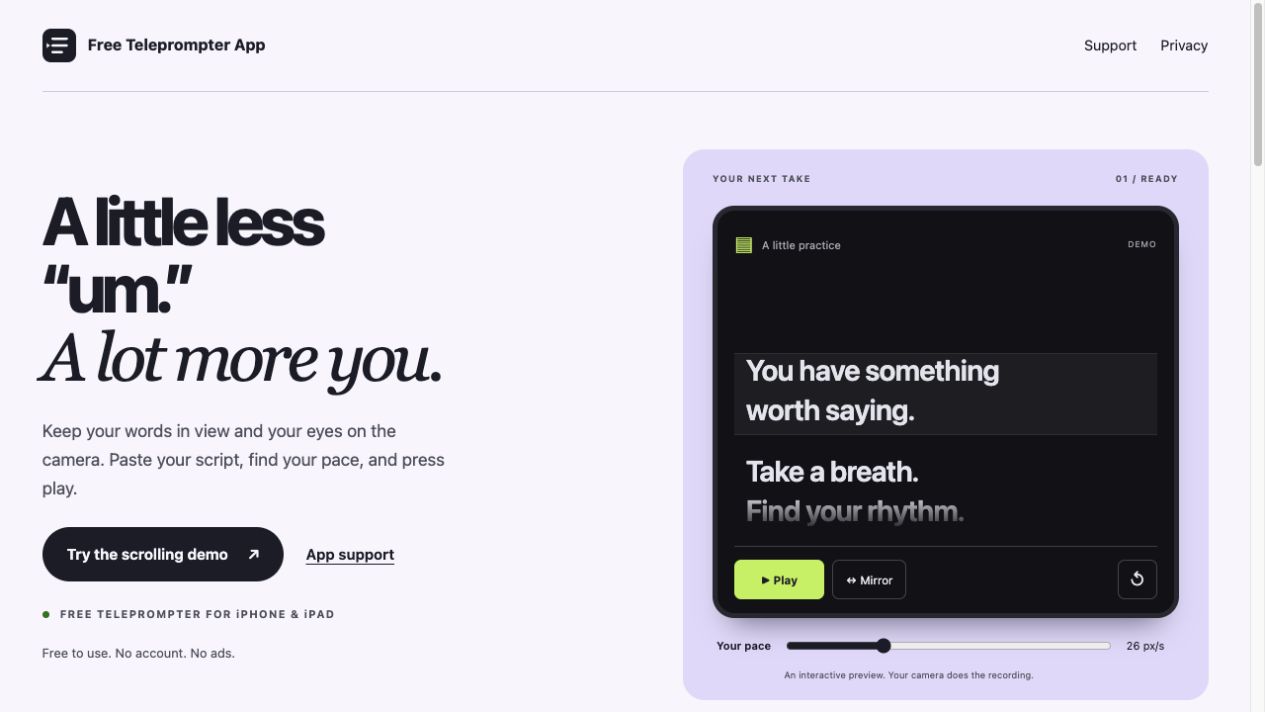
This is the website Codex built, including a small scrolling demo. The iPhone app itself was built in Emergent.
I also went back and improved the site design. Publishing that revision hit a Hostinger API error, so we kept the existing pages working and retried later. It eventually went through. Even a tiny app managed to come with a website revision and a hosting hiccup.
Getting through App Store Connect
The part I had underestimated was everything around the app. Getting a working version on my phone and getting a complete submission in front of Apple were separate chunks of work.
Here was the sequence I worked through:
- Prepare the iOS build from Emergent and attach the build in App Store Connect.
- Fill out the listing: name, subtitle, description, keywords, and screenshots showing the app in use.
- Add the live support and privacy URLs.
- Complete the app information, including category, content rights, age-rating questions, privacy disclosures, and encryption questions for this build.
- Set the app's price to free, choose availability, and finish the review information.
- Resolve the remaining validation messages and submit the version for review.
I used Codex throughout that part too. I'd show it the page I was on and ask what a field meant or what was still missing. It helped me work through the screens using the app description and Apple's documentation. I still had to supply the information and make the choices for my app.
Near the end, Apple was still blocking submission on four things: the primary category, the App Privacy questionnaire, the privacy-policy URL, and price/availability. I'd thought the category was handled, but the choice hadn't saved. The privacy questionnaire also needed to be published in its own section.
Those were the kinds of details that ate up time. You fill out a page, think you're done, then discover another section with its own save or publish step. At one point I was basically telling Codex, jeez, why did that take so long?
Eventually the status changed to “Waiting for Review.” That's where version 1.0.3 sits now. I have submitted an app to Apple, and I'm waiting to find out what happens next.
The $60 wasn't the whole calculation
I should probably mention that Apple's Developer Program costs $99 a year in the US. There's also the domain, the building tools, and my time. “I avoided paying $60” would be a pretty incomplete accounting of this project.
Buying the recommended app would have been the simpler route if all I wanted was to record one video. I also wanted the experience of taking a small app through the submission process, and I had a useful reason to try it. Now I understand a lot more about what happens between “the app works” and “someone can download it from the store.”
The narrow scope helped. I could explain exactly what I wanted because I was the person about to use it. When the words scrolled properly, looked right in the glass, and helped me finish the recording, I had an answer.
For now, the video is recorded, the app works for me, and Apple has the submission. I'll update this post when there's a review result and a download link. Next time I need to record an ad, I already have the teleprompter.