I haven't logged into Google Ads in three weeks.
Claude Code is running my Google Ads accounts now. All three of them. AppSumo plus two clients I run through Rax Digital Consulting. I don't open the Google Ads UI to pull a weekly report. I don't open it to add negative keywords. I don't open it to rebalance budgets between campaigns. The agent does it, and I review the proposed changes in a Google Sheet before any dollar moves.
For years my Monday morning was the same dance. Log into Google Ads under AppSumo, pull last week's spend, scan top movers, dig into the campaigns that look weird. Sign out. Sign into the next account, a Rax client, same dance. Sign out again. Sign back into another Rax client and do it a third time. Three logins, three dashboards, three tabs with conflicting context. Half my Monday was account-switching tax.
I got rid of that whole pattern in an afternoon.
The bigger thesis (this isn't really a Google Ads story)
Every SaaS you log into is going to look like this in the next 24 months.
The pattern is the same everywhere. Your agent talks to the API. You talk to your agent. The dashboard you used to spend an hour in becomes a 30-second prompt and a sheet of proposed changes that you skim, approve, and ship. The software you don't log into wins.
Google Ads is the one I cracked for myself first because I have three accounts and a heavy operational rhythm. But if you're not in ads day to day, this is the pattern to watch in your own stack. The same shape will show up in your CRM, your email tool, your analytics platform, your project management tool. The UI is the part that's going away. The API is what's left.
What I built
I wired Claude Code to my Google Ads manager account through a local MCP server. The whole thing took about three hours including the Google Cloud setup. Now I sit in Claude Code, type a question in plain English, and the answer comes back across every account at once.
"Show me last 7 days spend and ROAS for every account under my manager."
Claude enumerates the sub-accounts under the manager, runs a GAQL query against each, then dumps the table.
AppSumo:        ~$15K spend  |  3.1x ROAS
Rax client A:    $4,210 spend |  4.7x ROAS
Rax client B:      $890 spend |  2.4x ROAS
All three accounts in one window, one prompt, one go. No tab dance.
Why the manager account is the unlock
A manager account (originally MyClientCenter) is the umbrella account agencies use to hold many client accounts under one login. Free to create at ads.google.com/aw/managers/new. Linking existing accounts into it from the manager dashboard takes about five minutes per account.
Most marketers know what a manager account is. What nobody talks about is what it unlocks for AI ops.
When you authorize an MCP server against the manager account rather than against an individual ad account, you give that MCP one OAuth refresh token that has read and write access to every sub-account underneath. The credentials file has a field called login_customer_id. Set that to your manager account, and the Google Ads API routes every request through the manager to whichever sub-account you target.
One OAuth, every account, no per-account setup.
I'd been running paid for AppSumo for years and never bothered with the manager account because I wasn't an agency. Once I started picking up consulting clients through Rax Digital, I created a Rax manager account, linked the accounts into it, and the whole setup snapped into place.
If you only run one Google Ads account today, set up a manager account anyway. Link your current account to it. You're then ready to add more without rebuilding the credentials when you pick up your first client.
The four things you need
If you want to do this yourself, you need four things. None of them are hard individually. The combination is what's powerful.
1. A Google Ads manager account. The umbrella above. Five-minute setup, free, no approval. If you have one already, great. If not, create one and link your accounts into it.
2. An OAuth client. OAuth is how you give an application permission to act on your behalf without sharing your password. You create the OAuth client in Google Cloud Console, get a client ID and client secret, and use them to run a one-time auth flow that gives you a refresh token. That refresh token is the credential the MCP uses every time it talks to Google. Generated once, stored in a config file, never expires unless you revoke it.
3. A Google Ads API developer token. Google requires anyone using the Google Ads API to have a developer token. You request it from inside your manager account at Tools & Settings → API Center. Two access tiers:
- Test access works immediately and lets you hit any account inside your own manager. Good enough to start.
- Basic access lets you query any Google Ads account you have permission to manage, anywhere. You apply for it inside the API Center. Google approves in one to two business days. They want to know what you're building and how it doesn't violate their terms. Honest answer is fine.
Most marketers haven't done this step. It's the gate. Once you're through it, every Claude skill that uses the Google Ads API works against every account you manage.
4. A local MCP server. MCP (Model Context Protocol) is the open standard for connecting AI agents to tools and data sources. The MCP server I use is google-ads-mcp, written by Google's marketing solutions team. It's a small Python process running on your laptop, listening on 127.0.0.1:8000. Claude Code talks to it via HTTP. It talks to Google.
That's the four. Manager account, OAuth client, developer token, MCP server.
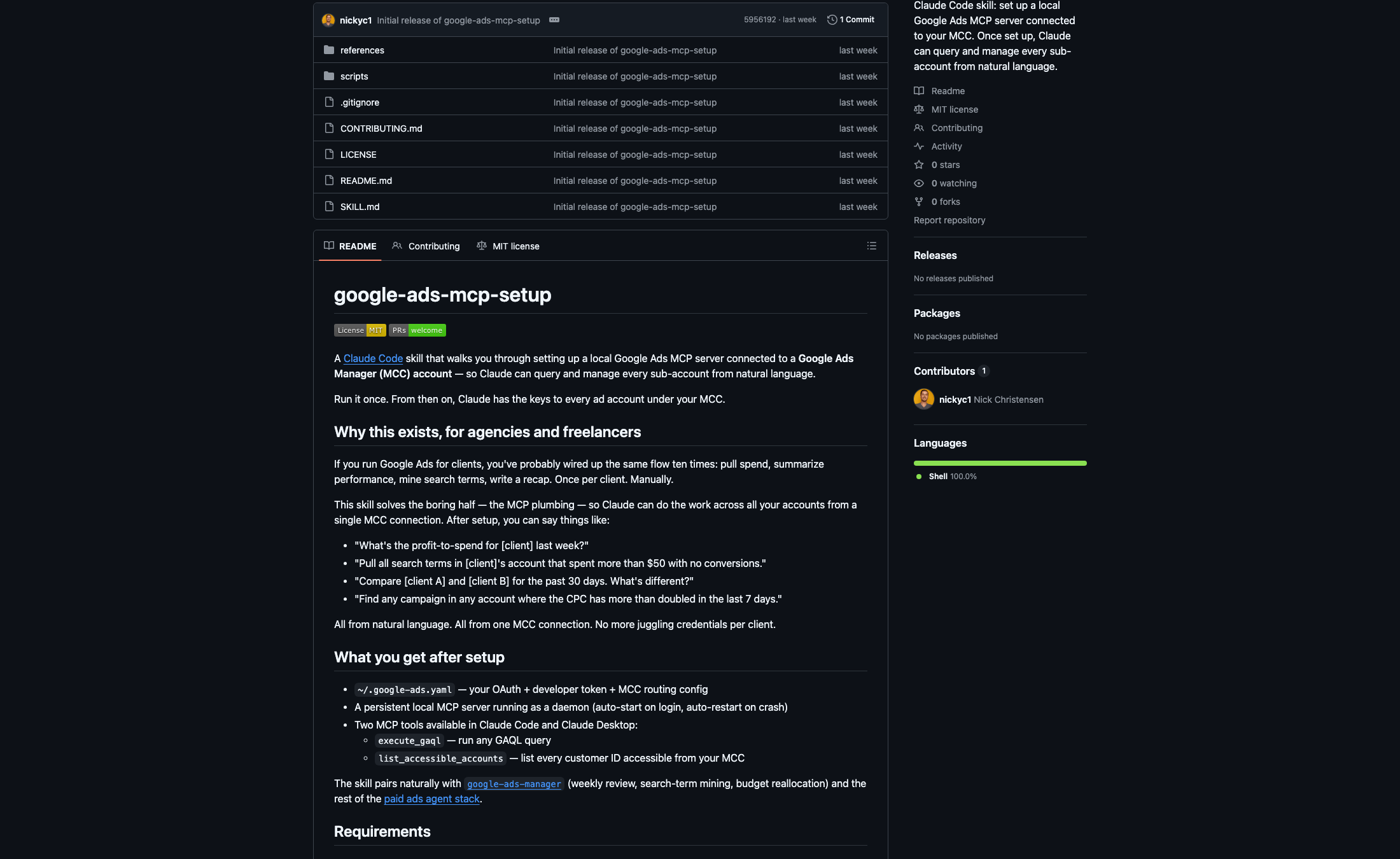
The skill bundle that wires all four together is at github.com/nickyc1/google-ads-mcp-setup. Clone it, follow the SKILL.md, and you're running queries in about 30 minutes.
Push and pull (the part most integrations skip)
Most AI-marketing integrations stop at the read layer. You ask for a report, the agent reads from the API, summarizes, hands you a markdown table. Useful. Not operational.
The Google Ads MCP can also write. Pause campaigns, change budgets, add negative keywords, update ad copy. The full GAQL surface area is exposed. That means the agent doesn't just describe your account. It can run it.
The same thing works from outside Claude Code too. I have n8n workflows that watch for anomalies in spend or CPA, build a proposal, and feed it into the same pipeline. The MCP doesn't care whether the caller is Claude Code, an n8n workflow, or a Python script. They all hit the same HTTP endpoint with the same OAuth.
This is the difference between an AI that helps you do marketing and an AI that does marketing while you supervise. The line between the two is one OAuth token and a developer token.
The safety harness
Giving an AI write access to a six-figure-a-month ad account without guardrails is how you torch five grand in a day. The agent hasn't made that mistake on me yet. I stopped believing it wouldn't.
The harness I run is three layers. Two AIs and a human before any dollar moves.
1. Claude proposes, never executes. Every mutate goes to a Google Sheet first. The agent calls a propose() function instead of writing directly to Google. It snapshots the before-state, writes a row to a Staged Changes tab with status "proposed," and stops. The row carries the account, the operation, the target, the params, and the reason the agent gave for the change.
2. A second AI reviews. A small poller hands every proposed row to GPT-5 with its own Google Ads API token and a prompt that says "you are a senior performance marketing operator. Find the risk the first agent missed." Output is strict JSON: looks_good, concerns, or unsafe, plus one to three sentences of notes written back to the sheet. Two different models, two different access tokens, one independent second opinion.
3. I review the sheet. Anything GPT-5 flagged as unsafe gets auto-skipped. Everything else waits for me to flip status to approved. Approved changes get pushed back through the Google Ads MCP and applied.
The whole loop runs in 5 to 30 minutes depending on how busy the morning is. I never feel like I'm flying blind. The AI never feels like a wild dog. And the safety harness itself is just a Google Sheet plus a small piece of code that polls it. There's nothing fancy about it. The pattern matters more than the tooling.
What tripped me up
Three things in case you do this and hit walls.
Refresh token revoked after editing the yaml. Google invalidates refresh tokens if the OAuth user revokes access at myaccount.google.com/permissions or signs out of all sessions. If your daemon starts throwing auth errors after working fine for a week, re-run the OAuth flow. Took me twenty minutes to figure out the first time.
API version drift. Google ships a new Google Ads API version every quarter and deprecates old ones at ~14 months. If you suddenly get 404s on /v21/, the pinned version in the MCP package is out of date. Fix is pipx upgrade google-ads-mcp.
Daemon won't stay up. Tail /tmp/google-ads-mcp.err. Almost always it's the launchd plist env var not resolving $HOME correctly, so the daemon can't find the credentials yaml. Use absolute paths in the plist, not $HOME.
None of these are dealbreakers. All three are the kind of thing you only learn by getting bit.
What I actually do with it now
Once the MCP is live, every Claude skill that uses google-ads works against every sub-account under your manager account with zero extra config. Day-to-day this looks like:
- Monday weekly review across the whole portfolio in 60 seconds, no logins
- Mining negative keywords on AppSumo without leaving Claude Code
- Rebalancing budgets between campaigns based on actual ROAS, not gut
- Search term audits at the keyword level across the whole portfolio
- Pulling spend by source against my AppSumo daily spend sheet without manual exports
I have it paired with /loop so a weekly review fires every Monday at 9am CT and Claude drops the report into a Google Doc I open with my coffee. That part still freaks me out a little.
Why this matters beyond me
I wrote last week that marketing teams of 10 are heading to 2 people plus a stack of agents. This is the kind of thing that makes that real.
The single-account ops layer (logging into a dashboard, pulling a report, pasting into a doc) is the bottleneck most agencies and in-house teams hit. It doesn't scale linearly. Add a fourth account and Monday goes from three hours to four. Add a fifth and the Monday is gone.
A portfolio-wide MCP fix is what lets one operator run what used to take four. For agencies sitting on 20 client accounts, this is a different posture entirely. Same person can pull a Friday client recap across 20 brands in the time it used to take to do one.
If you're thinking about starting an agency, this is the operating model that makes it work without an army. One access point, every account, two AIs and a human in the loop.
Bottom line
If you run more than one Google Ads account, set up a manager account today. If you already have one, point a local MCP at it.
The Google Ads version of this is a one-afternoon setup. But the bigger thing is this: the software you don't log into wins. Google Ads is one example. The next 24 months will quietly turn every dashboard you use into something your agent runs while you review proposed changes in a sheet.
One OAuth, every account, all from chat. That's the new floor.
Skill bundle: github.com/nickyc1/google-ads-mcp-setup.