People keep asking what tools I use to run all this AI agent stuff.
The answer is a little annoying because it is not one tool.
It is a stack.
Some of it is off-the-shelf. Some of it is custom. Some of it is held together with APIs, CLIs, MCPs, service accounts, Slack updates, shared drives, screenshots, security checks, and a Mac mini sitting in the background doing boring little jobs that I do not want to think about anymore.
That is the real setup.
Not "I use ChatGPT for marketing."
More like: I have a working system for giving AI clients access, context, files, credentials, meeting notes, ads data, analytics, design tools, image tools, deploy targets, and a place to leave the work when they are done.
Here is the stack I actually use.
1. Codex and Claude Code are the main operators
Most of my real work happens in Codex and Claude Code.
Codex is where I like repo-heavy work. Blog posts, site changes, newsletter files, Google Ads playbooks, dashboard edits, scripts, documentation, GitHub commits, and anything where I want the agent to leave behind a clean artifact.
Claude Code is still great when I am sitting inside a project and want to move fast with a lot of context. I use it for deeper implementation work, debugging, product builds, and messy exploratory work where I am talking through the problem as I go.
Model-wise, I am usually picking the strongest reasoning model I can justify for the work. Opus 4.7 or Fable-style workflows for the hard stuff, cheaper models for boring scheduled jobs. I do not need a genius to check whether a Slack post went out.
The important part is not which one is "better."
The important part is knowing which agent should own which kind of work.
Codex for durable repo work.
Claude Code for high-context building.
Cheap automation where reasoning does not matter.
Human judgment when money, customers, or strategy are involved.
2. Wispr Flow is the input layer
This might be the most underrated part of the whole stack.
I dictate almost everything now.
Blog ideas. Client notes. Ad strategy. Feedback. Prompts. Weird little "wait, this is the point" moments that would disappear if I tried to type them perfectly.
Wispr Flow makes it easier for me to talk to my AI clients like I would talk to a person sitting next to me. That matters because my best thinking usually comes from talking. I can ramble, react, correct myself, add context, and get the raw idea out before my brain starts trying to make it sound smart.
Then Codex or Claude Code can tighten it.
That flow is basically:
- Talk the idea out
- Let the agent organize it
- Take the final pass back over
That is how most of these posts happen.
3. Shared Drives are where the agents get client context
This is one of the pieces I would put near the top for anyone trying to make agents useful with clients.
There are a lot of ways to do this. You can paste files into chat. You can keep local folders. You can make one giant repo. You can drop everything into Notion and hope the agent finds the right thing.
The best version I have found is boring: a Google Shared Drive for each client or business.
Docs, Sheets, exports, notes, reports, briefs, meeting recaps, campaign plans, screenshots, SOPs, and anything else the agent needs to understand the business can live there. Then I add the Claude Code or Codex service account to that Shared Drive with the right permissions.
That sounds simple.
It is.
It also fixes a ton of pain.
Instead of pasting the same doc into every chat, the agent can read the source file. Instead of asking me where the reporting sheet is, it can go find it. Instead of creating a random local artifact I have to move later, it can write the doc or update the sheet in the right place.
For ads, this is huge.
The agent can read the latest budget sheet, the campaign plan, the meeting notes, the creative brief, the staged changes sheet, and the report from yesterday without me doing the copy-paste dance every time.
That is when the work starts to feel less like "chat with a smart model" and more like "give a smart operator the keys to the filing cabinet."
This is the difference between an AI chat and an AI operator.
The chat answers a question.
The operator knows where the work lives.
4. 1Password is the credential layer
If an agent is going to touch real systems, credentials have to be boring and safe.
I use 1Password for API keys, OAuth clients, tokens, webhook secrets, Stripe keys, Supabase keys, Google Cloud credentials, SendFox tokens, and everything else that should never end up in a repo.
The agent should not ask me for the same key 15 times. It should check 1Password, use the item it is allowed to use, and move on.
This is also why I like service accounts whenever possible. They are cleaner than human logins, easier to revoke, and better for repeatable workflows.
5. Granola turns meetings into work
Granola records all my meetings.
The magic is not the notes.
The magic is what happens after the notes.
I run routines and scheduled tasks that pull meeting notes, extract action items, post recaps to Slack, and give me weekly summaries of what is still open. I also use it for Sunday previews of the week ahead so I am not starting Monday by spelunking through five different calendars and 12 meeting docs.
This is where a lot of "AI productivity" gets fake.
A meeting summary is nice.
A meeting summary that becomes a Slack recap with owners, blockers, and follow-ups is useful.
That is the bar.
6. Slack is the output layer for daily work
Slack is where a lot of the operating rhythm lands.
Daily ads updates. Monday memos. Weekly meeting recaps. Action items. Alerts. Proposed changes. Things that need a human decision.
I do not want the important stuff trapped inside a chat thread with an agent. I want it where the team already works.
For ads, that might be:
Last 7 days were profitable.
Spend was efficient.
One campaign is leaking.
Two product groups deserve more budget.
Here are the moves I would make this week.
That is useful.
Another dashboard I have to remember to open is less useful.
7. n8n handles repeatable workflows
I use n8n for predictable automations.
Daily Slack notifications. Scheduled reporting. Pulling data into sheets. Granola-to-Slack recaps. Ads anomaly alerts. Simple workflows where the job is clear and the failure mode should be easy to see.
This is something I have learned the hard way.
Codex and Claude Code are great for building the machine. I do not want every recurring machine living forever inside Codex.
For repeating jobs, put them somewhere boring.
n8n, Make, cron, or a small script.
The agent can help build it, improve it, and debug it. But the job itself should live somewhere predictable.
8. Screenshots are a huge part of the stack
I use screenshots constantly.
CleanShot is the screenshot tool I use all day. Region captures, full-screen captures, quick annotations, blurred areas, floating screenshots, and easy cloud links when I need them.
This matters more than people think because so much agent work starts with "look at this."
Look at this SendFox draft.
Look at this ad preview.
Look at this GA4 report.
Look at this dashboard section that feels wrong.
Look at this product page and tell me why the offer is not landing.
Codex with attached screenshots is great when I want changes made against a specific UI, post, email draft, ad preview, dashboard, or website section.
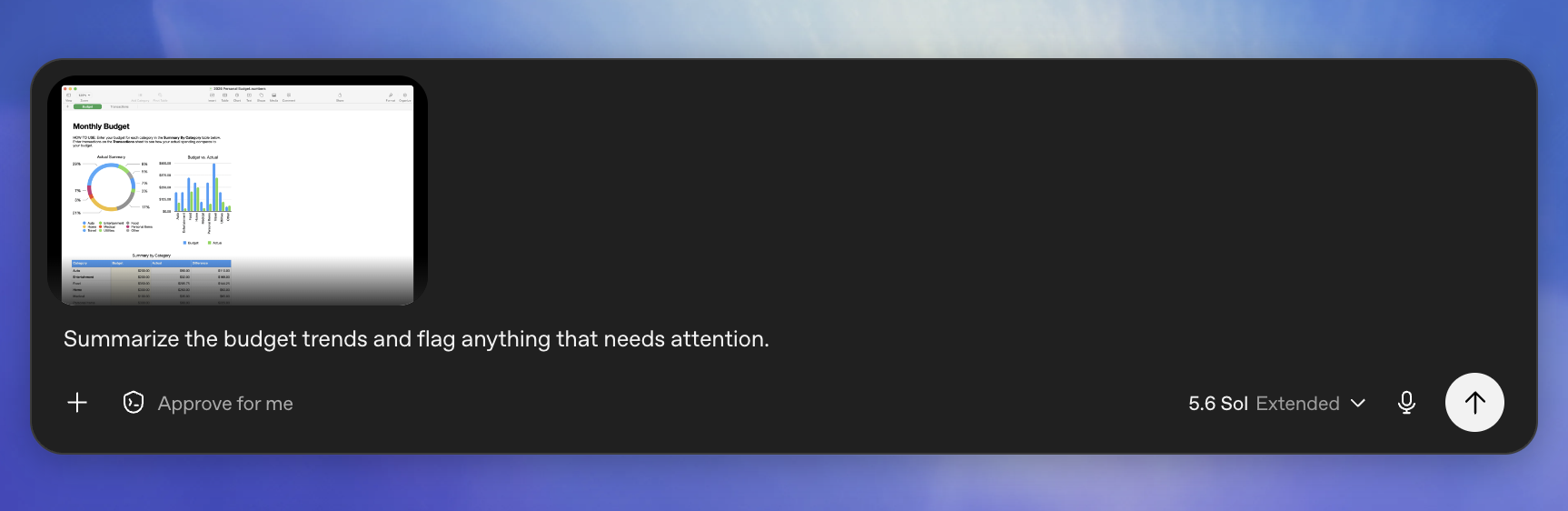
For ChatGPT, Appshots is the OpenAI version of this idea. The macOS app can send context from the frontmost app window to ChatGPT, including the visible image and available text from that app.
That is a different workflow than CleanShot.
CleanShot is how I capture, mark up, blur, and save what I am seeing.
Appshots is how I hand the current app window to ChatGPT when I want it to understand the screen in front of me.
Both matter.
This is one of those simple workflows that sounds too obvious until you do it all day.
Instead of describing the problem for five minutes, I show the agent the screen and say what feels wrong.
That is a much better way to work with design, dashboards, ads, analytics reports, and newsletter drafts.
9. Paste keeps the screenshot chaos organized
If screenshots are part of the stack, you need somewhere to put them.
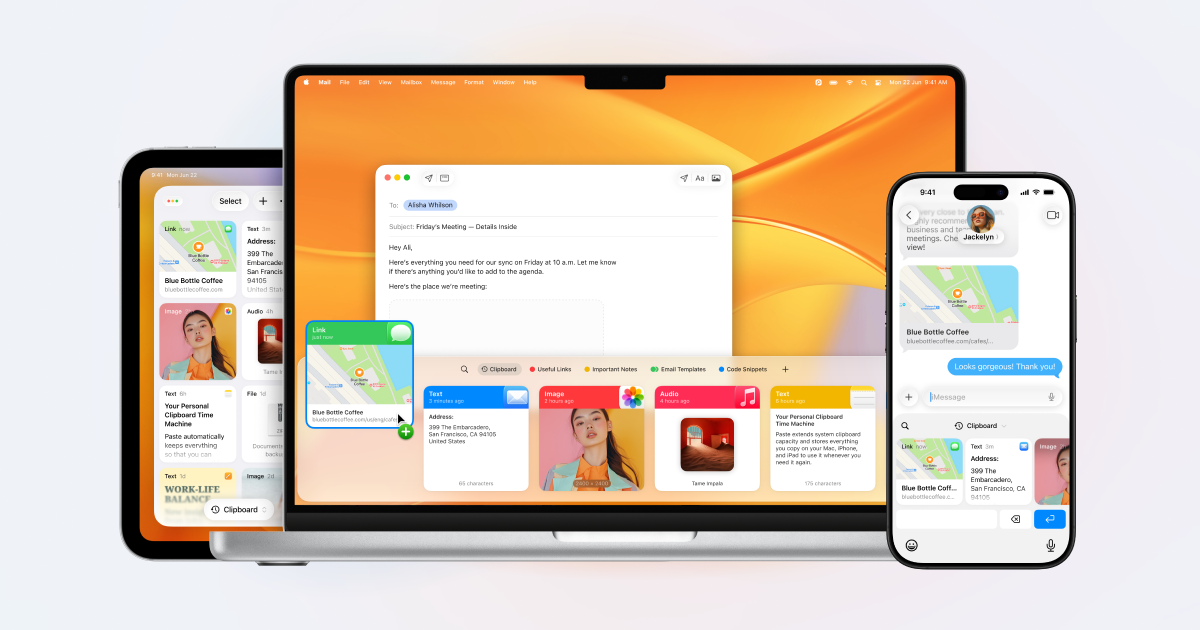
I use Paste to store and organize screenshots by project and by AI client.
This sounds small, but it matters. When you are working across multiple clients, tools, ad accounts, dashboards, and products, your desktop can turn into a junk drawer fast.
Paste makes screenshots reusable. They become context, not clutter.
I can go back and grab the screenshot from a client dashboard, the old ad preview, the SendFox email block, the app UI, or the Google Ads setting without digging through Downloads like a maniac.
Not glamorous.
Actually useful.
10. Ads, analytics, image, and design integrations
The daily paid media stack is mostly APIs, CLIs, and MCPs.
For ads:
- Google Ads API and local MCP workflows
- Meta Ads API, CLI, and MCP where it makes sense
- Google Merchant Center / Merchant API for catalog and feed work
- YouTube creator partnership workflows inside Google Ads
- Sheets for staged budget and account changes
For analytics:
- GA4
- platform exports
- custom dashboards
- profit-to-spend reporting
- Shopify or store revenue data where needed
For creative and design, the stack is more opinionated now.
The repo I use for this is apple-grade-design. It is a Claude Code skill that combines three pieces:
- Stitch MCP for full-screen mockups from a natural language brief
- Nano Banana 2 MCP for product visuals, hero textures, persona photos, and reference images
- UI/UX Pro Max for design critique, palettes, font pairings, UX checks, and pre-ship review
The important part is not "AI made a pretty mockup."
The important part is the loop.
Brief.
Layout.
Visuals.
Code.
Critique.
Fix the bad parts.
Ship.
That skill also uses shared design tokens, a 5-line brief, and a pre-ship critique checklist so the output does not turn into the same gradient SaaS hero everyone else is posting.
For ads, the creative stack plugs into the same operating model. Customer notes and performance data feed the creative brief. Screenshots and ad previews show the agent what already exists. Image tools create reference visuals. Then the agent stages copy, assets, exports, and campaign notes somewhere a human can review.
The pattern is always the same.
Give the agent the data.
Give it the rules.
Give it a place to stage changes.
Do not let it silently move money without review.
11. Custom dashboards are part of the stack too
I still build dashboards.
I just do not want dashboards that become their own job.
For each client or business, I care about the handful of numbers that tell us what to do. Profit. Spend efficiency. Pacing. Buyer mix. Campaign problems. Product opportunities. Stuff that actually changes behavior.
That is why the dashboards I build are usually custom and small.
They are not meant to impress anyone.
They are meant to answer: what should we do next?
12. The Mac mini still runs the boring stuff
I work mostly from my MacBook Pro.
The Mac mini is the background machine.
Headless, predictable, boring in the best way. It still runs automations that do not need my laptop to be open. Court booking, scheduled checks, background scripts, lightweight agent jobs, and private tooling that I do not want exposed to the public internet.
WireGuard and Tailscale help me get into private systems safely when I need to. BetterSnapTool keeps my MacBook windows from turning into a disaster zone.
Not sexy.
Very useful.
13. GitHub is the memory layer
GitHub is where the system compounds.
Prompts disappear. Chat threads get buried. Local folders rot.
Repos last.
That is where I keep playbooks, skills, templates, app code, dashboards, automation scripts, migration notes, and the operating rules that make the next agent session better than the last one.
My public Google Ads agent playbook is one example:
github.com/nickyc1/google-ads-agent-playbook
Private client repos stay private. Public playbooks get cleaned up and anonymized. That line matters.
14. Rafter is the safety gate
This is the part people skip when they get excited about agents.
If Codex or Claude Code is touching a real product, the agent stack needs a review gate.
For CalConnect, that gate is Rafter.
CalConnect has Google OAuth, Supabase Auth, Stripe webhooks, AppSumo code redemption, refresh tokens, Google Calendar webhooks, cron jobs, and user-owned calendar data. That is not the place where I want an agent YOLOing through a change because the diff "looks fine."
So the rule in that repo is simple: a security-relevant task is not done until Rafter reviews it. That means no pushing, no PR, and no calling something finished just because the code compiles.
The way I use it is pretty practical:
- If the work touches auth, payments, credentials, tokens, file uploads, user data, or account deletion, I run the secure-design review before code gets written.
- If the diff touches API routes, SQL, shell commands, auth, credentials, file paths, or serialization, I run the code-review pass before calling it finished.
- If I am installing a third-party skill, MCP manifest, Cursor rule, or agent config, it gets reviewed before it goes anywhere near my setup.
- If I am not sure which bucket the work falls into, I use Rafter as the router.
That sounds like process, and it is. But it is the good kind. The point is not to slow everything down with fake enterprise theater. The point is to give the agent a hard stop before it does something dumb with real customer data, billing, OAuth tokens, or production infrastructure.
On CalConnect, Rafter has already shaped the account deletion flow, the Stripe integration, the AppSumo redemption flow, and the refresh token encryption plan.
Those are exactly the kinds of places where AI agents are useful and dangerous at the same time. They can move fast, but they can also move fast in the wrong direction. Rafter is how I make the speed usable.
15. The software build stack
This could be its own post, but it belongs here because building software is now part of my agent stack too.
CalConnect is the cleanest example.
It is one of the apps I built with this stack.
The product is simple: connect multiple Google Calendars, mark which calendars have the real events, and CalConnect mirrors private "Busy" blocks onto the others so you stop double-booking yourself.
That is a tiny product on the surface.
That app is a single Next.js + TypeScript repo deployed on Vercel. The frontend and backend live together. Pages, API routes, auth callbacks, Stripe webhooks, Google Calendar webhooks, cron jobs, all in one place.
The build stack is:
- Next.js App Router
- React
- TypeScript
- Supabase Auth
- Supabase Postgres with RLS
- Google OAuth
- Google Calendar API with push notifications
- Stripe Checkout, Billing Portal, trials, and webhooks
- AppSumo LTD redemption with hashed codes
- Vercel deploys and cron
- GitHub for versioning
- Cloudflare for DNS
- 1Password for secrets
The build itself was not tiny.
I bought the domain, wired the database, added auth, connected Stripe, built the dashboard, added AppSumo code redemption, shipped migrations, wrote the docs, and put the ops runbook in GitHub.
The live site is here: calconnect.io
That last part matters more than people think.
The repo has a root DOCS.md that explains the architecture, data model, migrations, environment variables, feature ledger, and ops runbook. Not because I love writing documentation for fun. I do not.
Because if I want Codex or Claude Code to be useful inside a real product, the agent needs a map. It needs to know where auth lives, how billing works, what migrations shipped, what is still broken, and what not to touch.
Right now the open work is normal software stuff. Google OAuth verification, support routing, password reset polish, better token encryption, analytics. The unsexy list.
But that is the point. AI agents get more useful when they are inside the actual system, with the actual docs, touching the actual work.
That is wild if you zoom out.
A few years ago, this would have felt like a whole team and a month of coordination. Now it is me, Codex, Claude Code, and a repo.
Still real engineering. Still lots of sharp edges. Still plenty of ways to break things.
But the leverage is insane.
The stack is not the point
There are a lot of tools in this setup.
Codex. Claude Code. Wispr Flow. Granola. Slack. n8n. Paste. 1Password. Google Drive. Google Ads. Meta. GA4. Merchant Center. Supabase. Stripe. Vercel. GitHub. Rafter. Tailscale. WireGuard. BetterSnapTool. A headless Mac mini.
Useful list.
But the list is not the point.
The point is the operating system around the work.
How does context get in?
Where do credentials live?
Where does the agent read from?
Where does the work get written back?
Which jobs repeat automatically?
Which decisions require approval?
Which outputs go to Slack?
Which artifacts go to GitHub?
Which systems should be custom because the business needs a specific answer?
That is the real stack.
The tools will change. Half of them will probably be different a year from now.
The operating model is what matters.
Give the agent access, context, rules, and a place to put the work.
Then keep the human where the human actually matters: judgment, taste, customer understanding, and deciding what is worth doing in the first place.